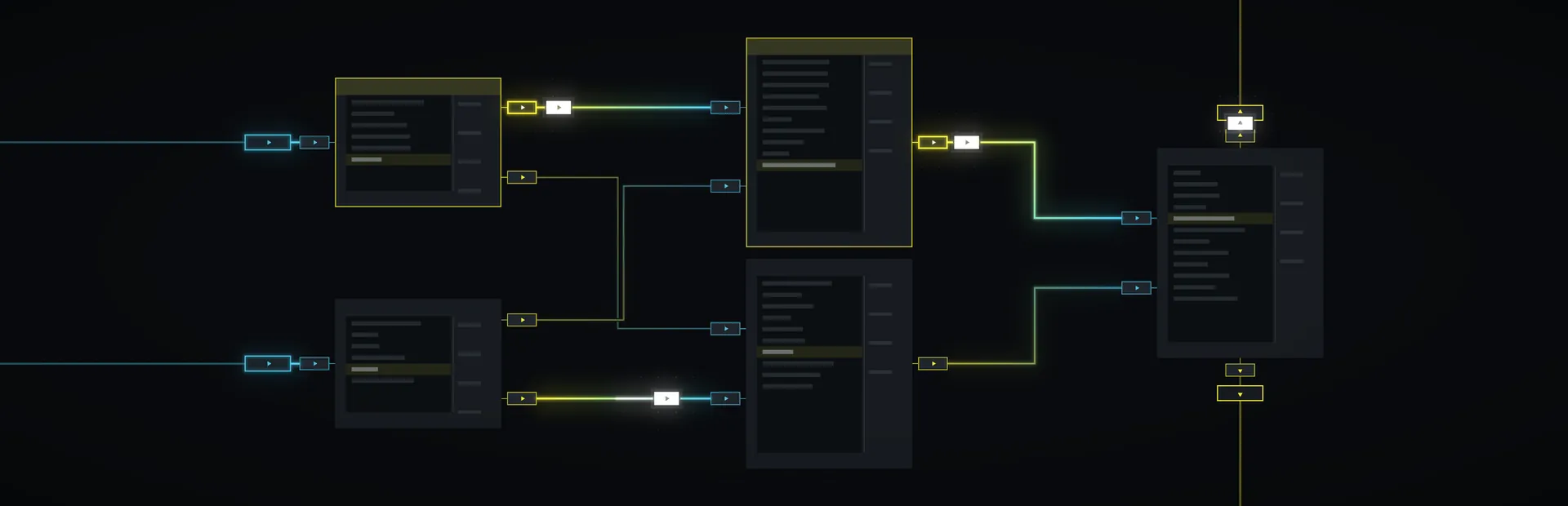

No two machines wired alike. Make them talk.
An assembly programming puzzle game in the tradition of TIS-100. Every puzzle hands you a machine nobody has shown you before. Write a few lines for each of its tiny cores, press Run, and watch every value ride the wires to the output. Then the real game starts: cut the cycles, the energy, the cores, and the lines, and beat par.
The puzzles
Four Ways to Wire a Machine
Signal boards, Bench circuits, Shuffle boards, and Driver tickets share one campaign, and each asks for a different kind of thinking.
-
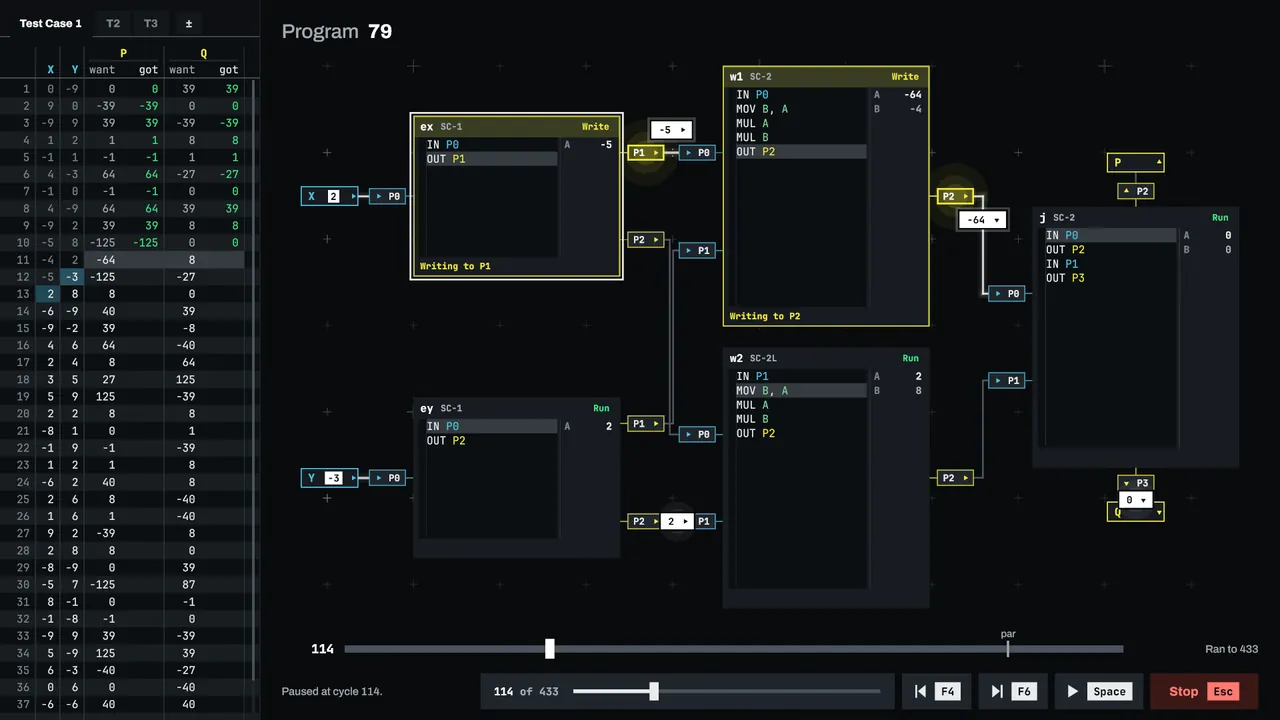
Signal
Tiny cores wired pin to pin as chains, rings, stars, trees, and loops. Every pin reads, writes, or goes both ways, and every board is wired differently. Rings deadlock when nobody reads first, two writers on a two way wire meet head on, and locked cores run code you cannot touch, so you build around them.
-
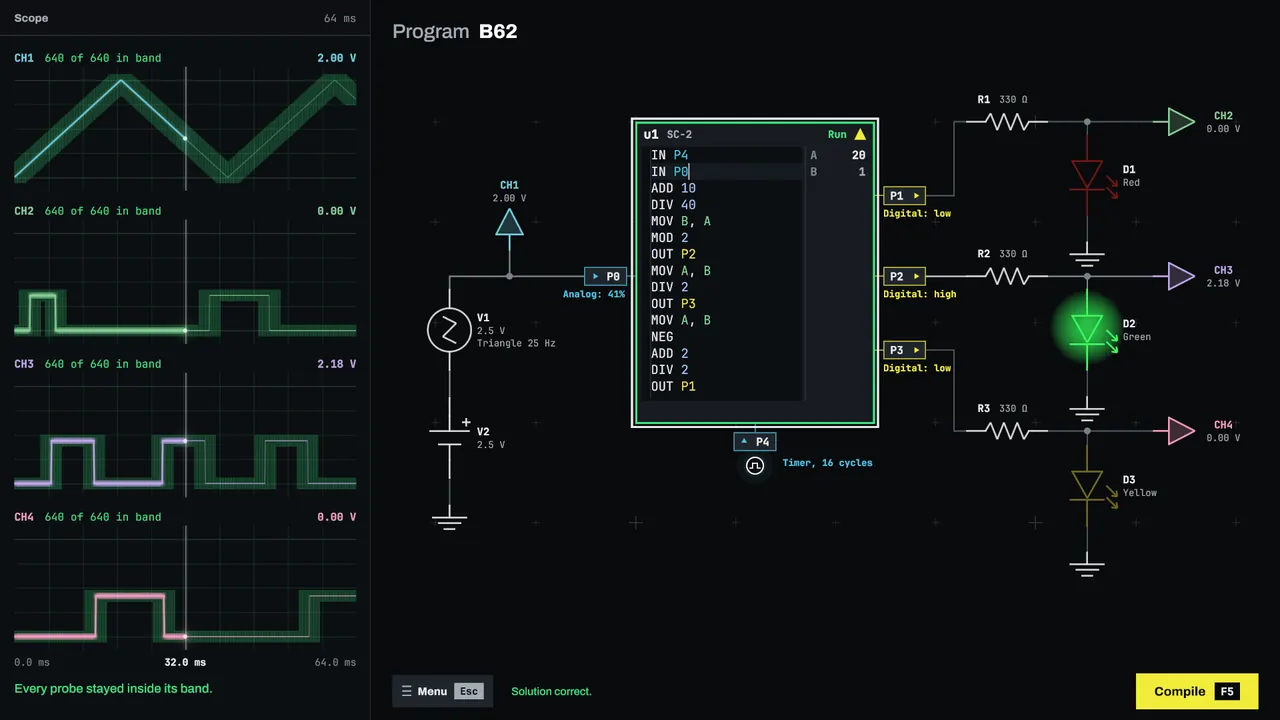
Bench
One chip on a live circuit of sources, resistors, capacitors, and LEDs. There is no Run button, because the circuit never stops. Compile, then read the oscilloscope: every probe has to stay inside its band, from the first millisecond to the last.
-
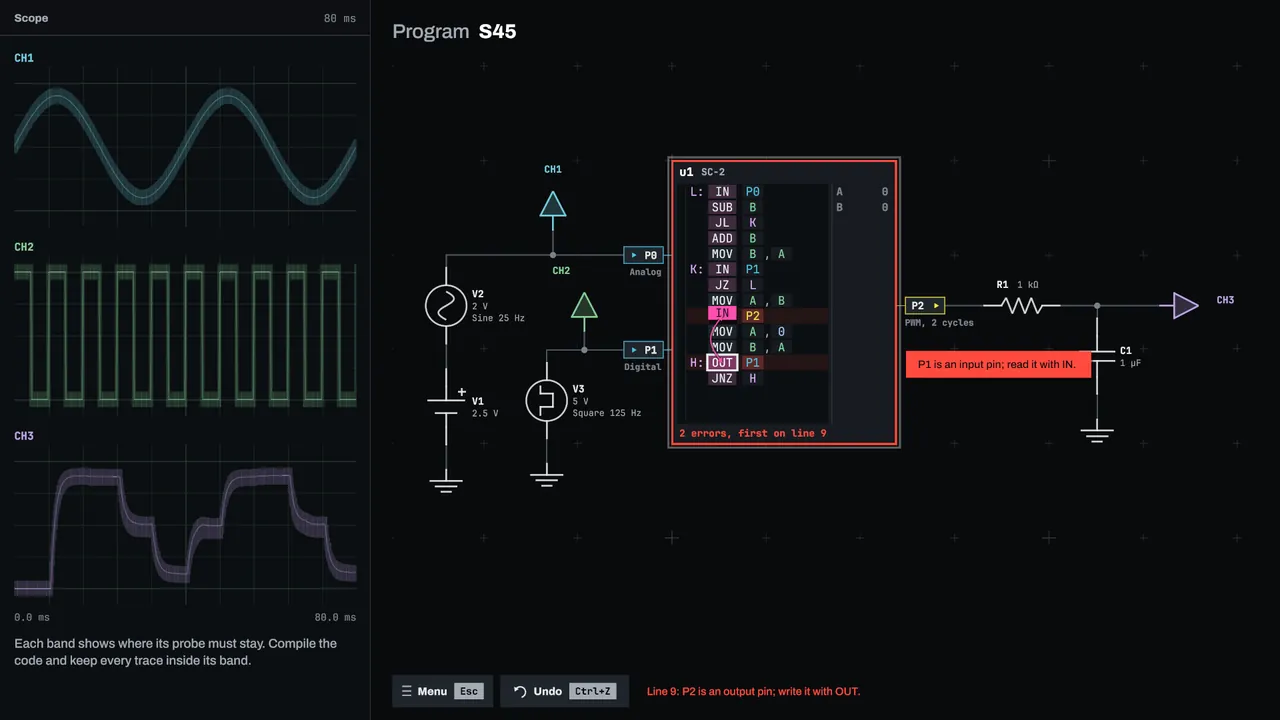
Shuffle
A working program, dealt out of order. Nothing is typed. Swap instructions with instructions and operands with operands, inside one core, until the machine runs again. The game counts your swaps against par as you go, yet a Shuffle is won or lost: it has no leaderboard and does not count toward your rating.
-
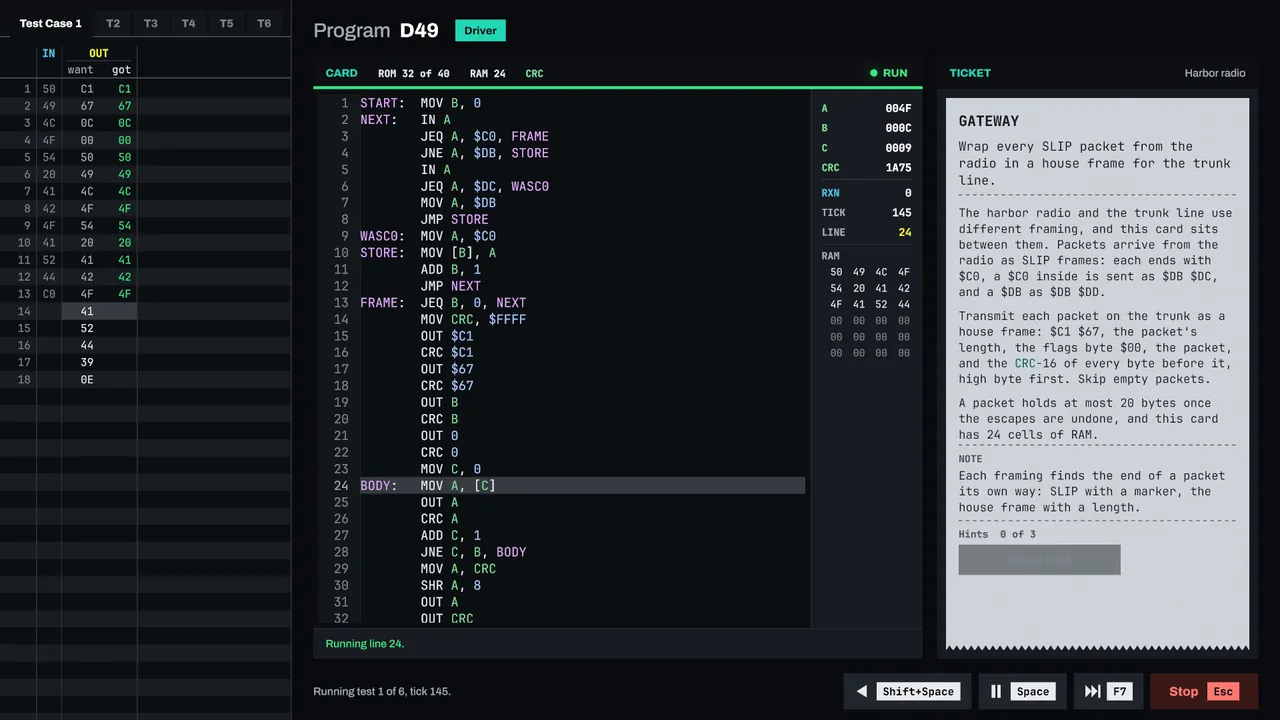
Driver
A line card, a client, and a ticket. Speak the protocol on the line: framing and escapes, checksums and CRCs, acknowledgments and timeouts. Every ticket is judged on the ticks your driver takes and the lines it needs.
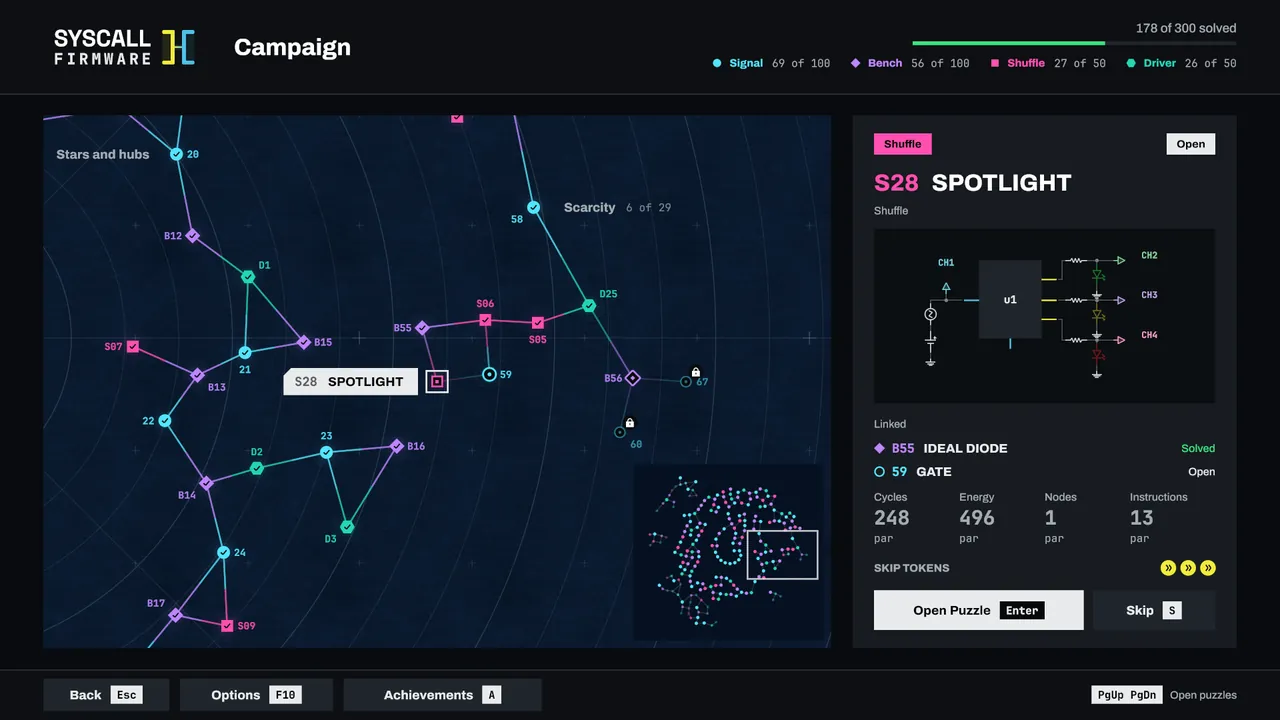
The campaign
Three Hundred Puzzles on One Chart
The campaign is a chart of 300 puzzles in twelve chapters, from a first signal of two lines to multi stage capstones and shared buses. The four types interleave along it, and each new idea arrives on a board built to teach it.
No assembly is needed going in. The first puzzles introduce every instruction one at a time, and a guided tutorial walks you through the opening boards.
- Arrival
- Workshop
- Chains and rings
- Stars and hubs
- Half duplex
- Trees
- Frames and loops
- Scarcity
- Special nodes
- Meshes
- Capstones
- Shared buses
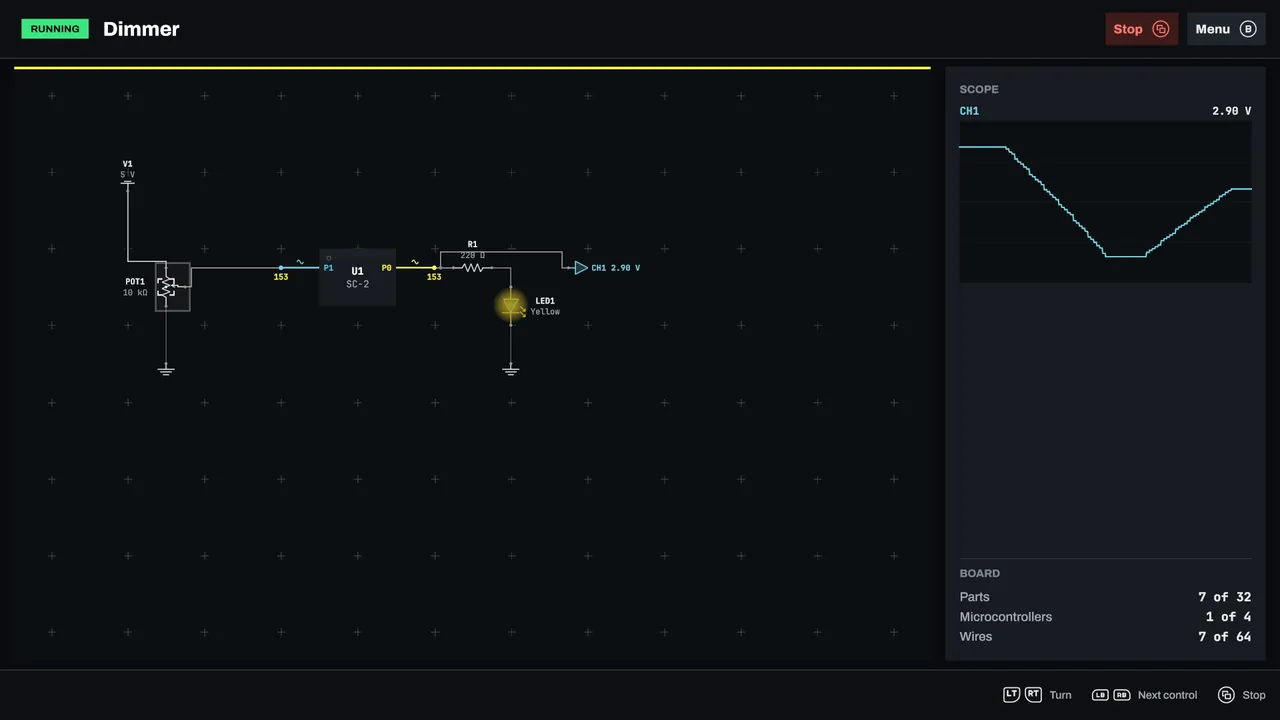
The Sandbox
Circuits of Your Own
Beside the campaign, the Sandbox is a free board with no puzzle to solve. Lay out resistors, capacitors, LEDs, diodes, transistors, buttons, switches, knobs, supplies, grounds, and probes, add up to four microcontrollers, and write their code in the same editor the puzzles use. Each chip runs at the clock you give it, from 1 Hz to 1 kHz.
Press Run and the board comes alive: hold its buttons, flip its switches, turn its knobs, and watch the LEDs light and the probes trace on the scope. Your boards save on your own machine as you build, and a controller can do all of it. Seven example boards show the parts at work:
- Blink
- Button and LED
- Dimmer
- Chaser
- Transistor switch
- RC filter
- Two chips
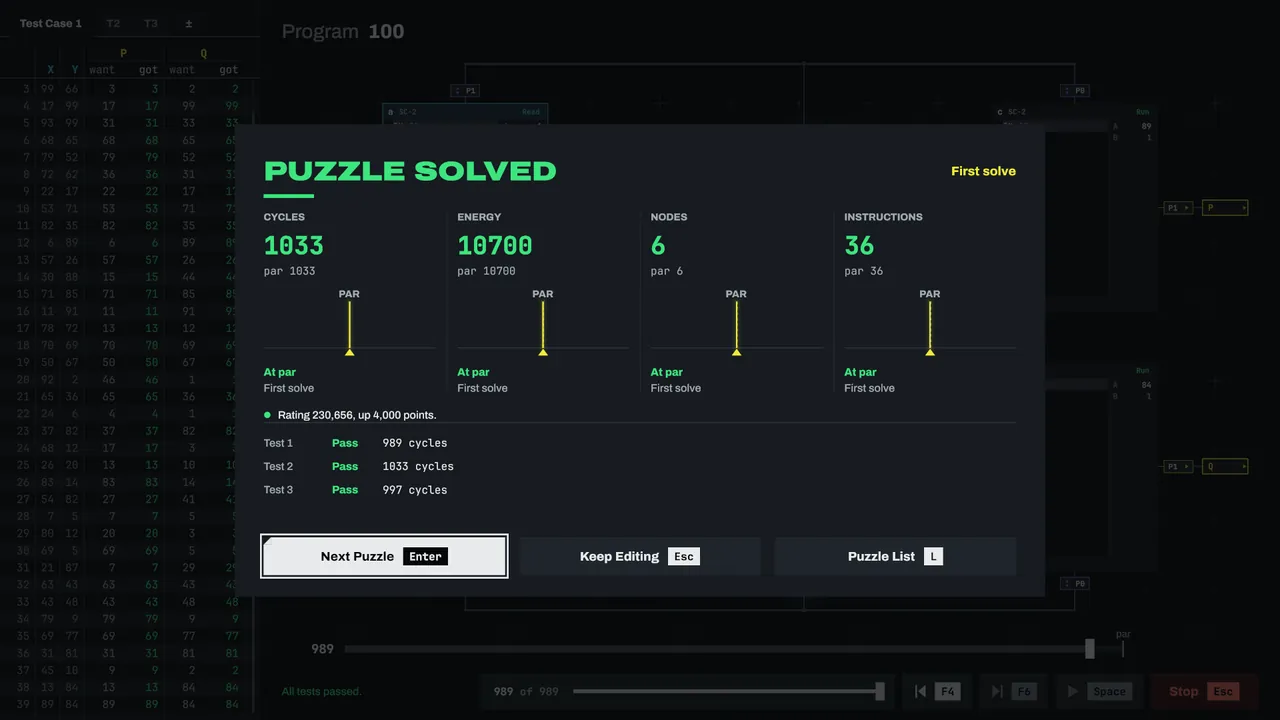
Benchmarks
Four Benchmarks. One Rating.
- CYCLESHow long the machine runs.
- ENERGYWhat it burns along the way.
- NODESHow many cores you use.
- INSTRUCTIONSHow many lines you write.
Five core models run at their own speeds and burn their own energy, so the fastest machine is rarely the most frugal. On every Signal board and Bench circuit, each best earns rating points on each benchmark: a thousand for matching par, and up to two thousand for beating it. Together they make your rating, ranked on a Steam leaderboard with a Friends view. Driver tickets are judged on ticks and lines instead, and Shuffles are won or lost, so neither counts toward the rating.
Turn on online comparison and every Signal, Bench, and Driver result also shows where it sits among all players, with a histogram, your rank, and the share of players you beat or tie. Shuffles are not ranked. Our service runs every submitted solution again before it counts, so the records are real. It is your choice, asked once; while it is off, the game sends us nothing. The privacy policy has the details.
The debugger
Every Failure Explained
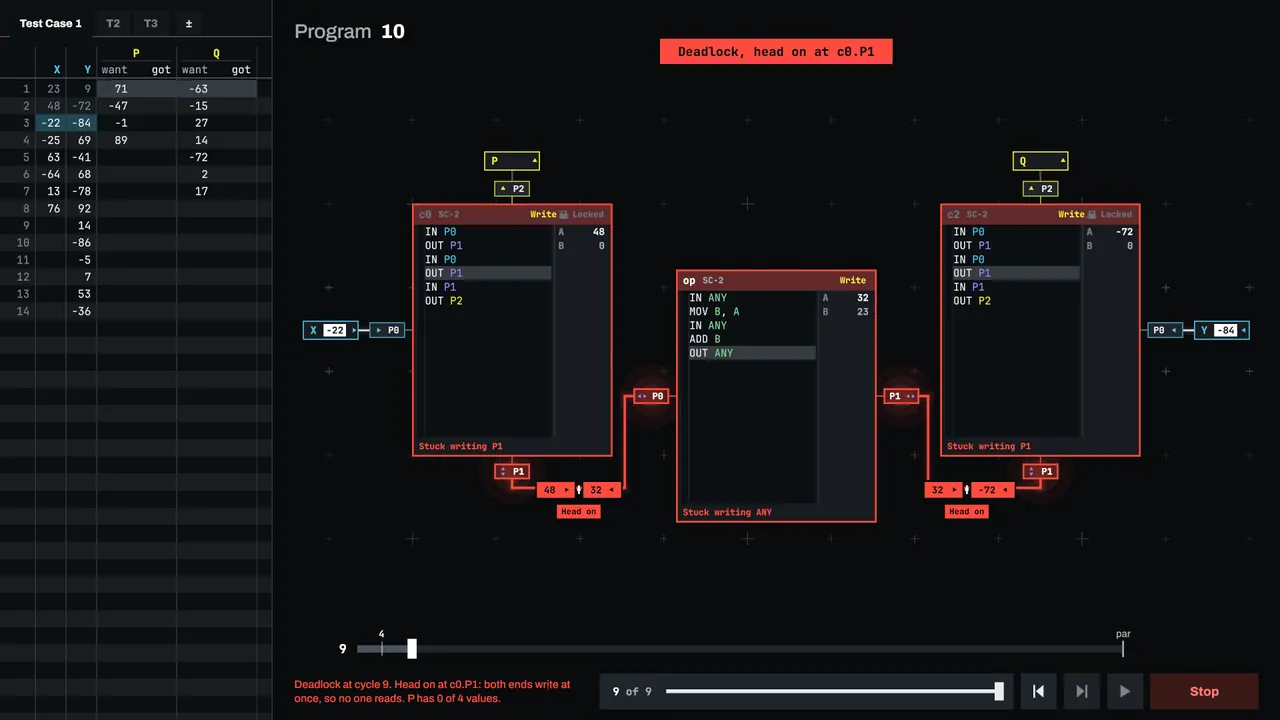
On a Signal board or a Driver ticket, every run is recorded as it goes, so you can play it like a tape: run it, play it backwards, or pause and step forward or back, one cycle or tick at a time. While it is paused, a seeker spans the whole run, even the part it has not reached yet, and you can drag to any point in it. On a Signal board, set a breakpoint and the run pauses on it.
When a run fails, the game says what went wrong and where: which core waits on which pin, which output got the wrong value, and on which cycle. A deadlock is never a mystery for long.
Any controller
Assembly from the Couch
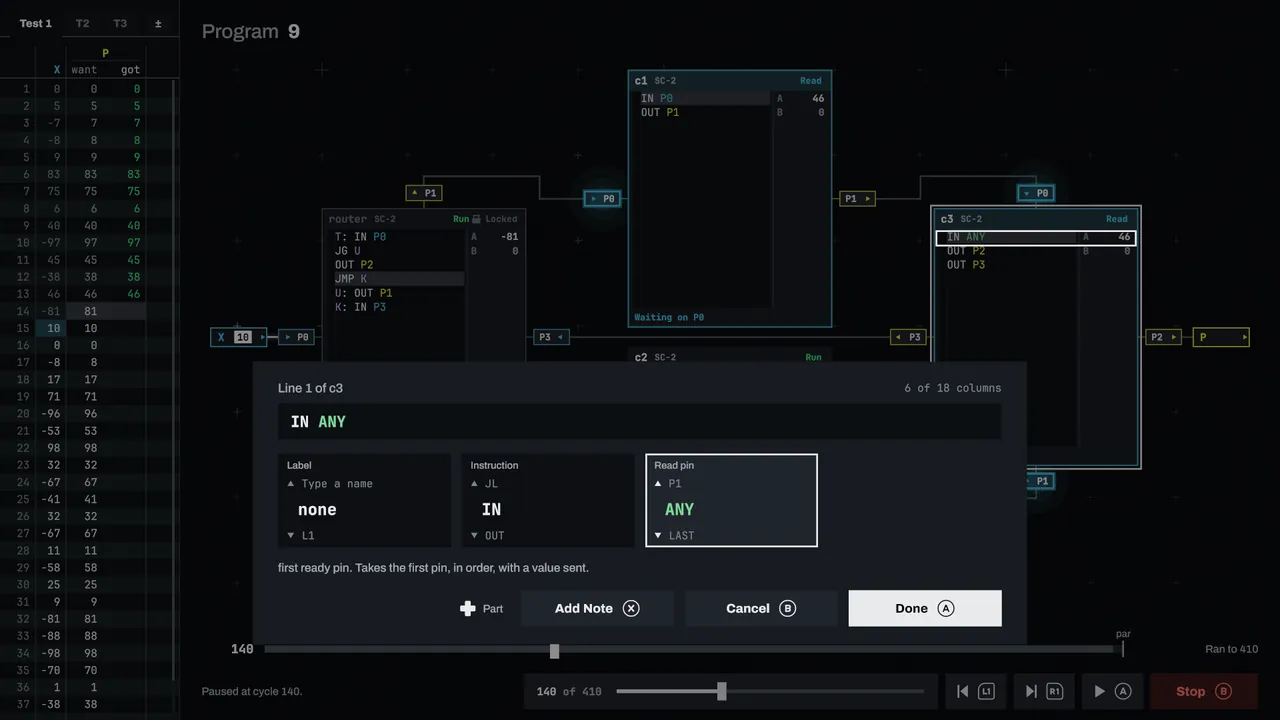
A line composer builds each instruction from its parts, and an on-screen keyboard is tuned for the gamepad. Prompts follow your device: Xbox, PlayStation, Switch, and Steam Deck controllers, as well as keyboard, mouse, and touch.
Text grows to 150 percent and the interface scales from 75 to 200 percent. There is a high contrast theme, a palette that stays clear for every common kind of color vision, reduced motion, captions for every sound, and announcements for screen readers. Every screen is checked at large text and small windows, so no label is cut off.
Screenshots
Inside the Machine
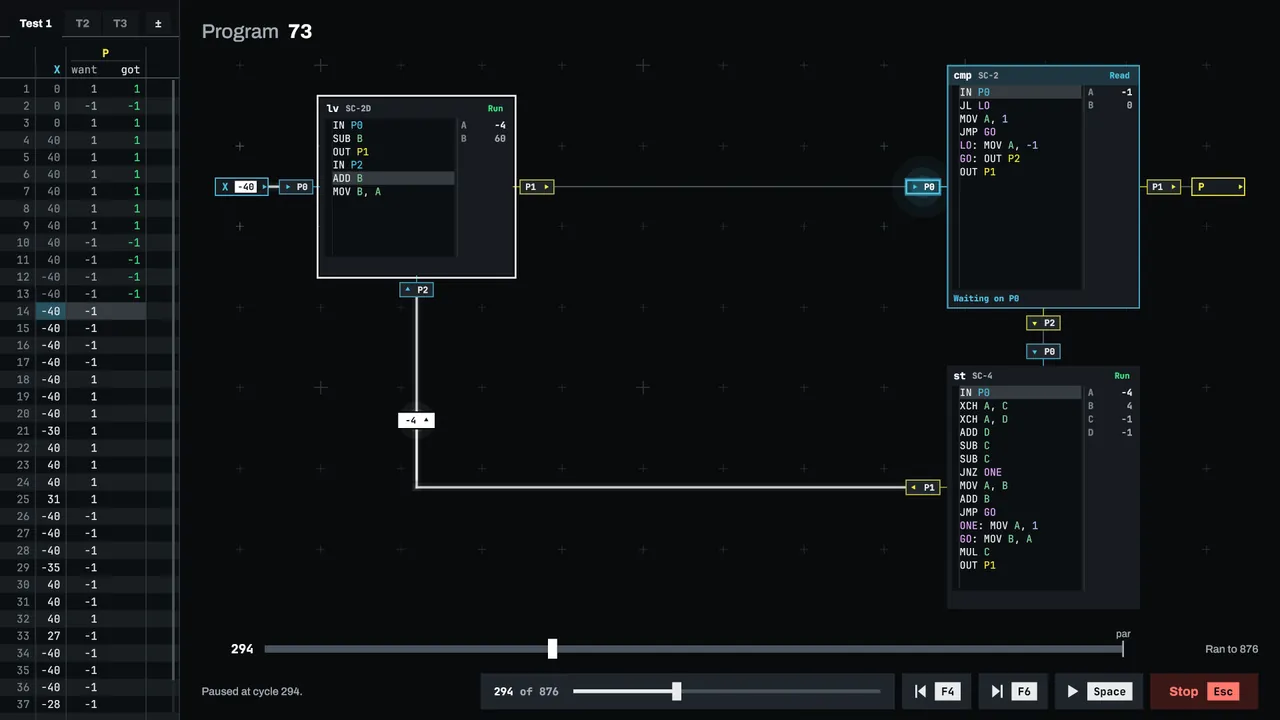
Five core models, each with its own speed, energy, and line budget 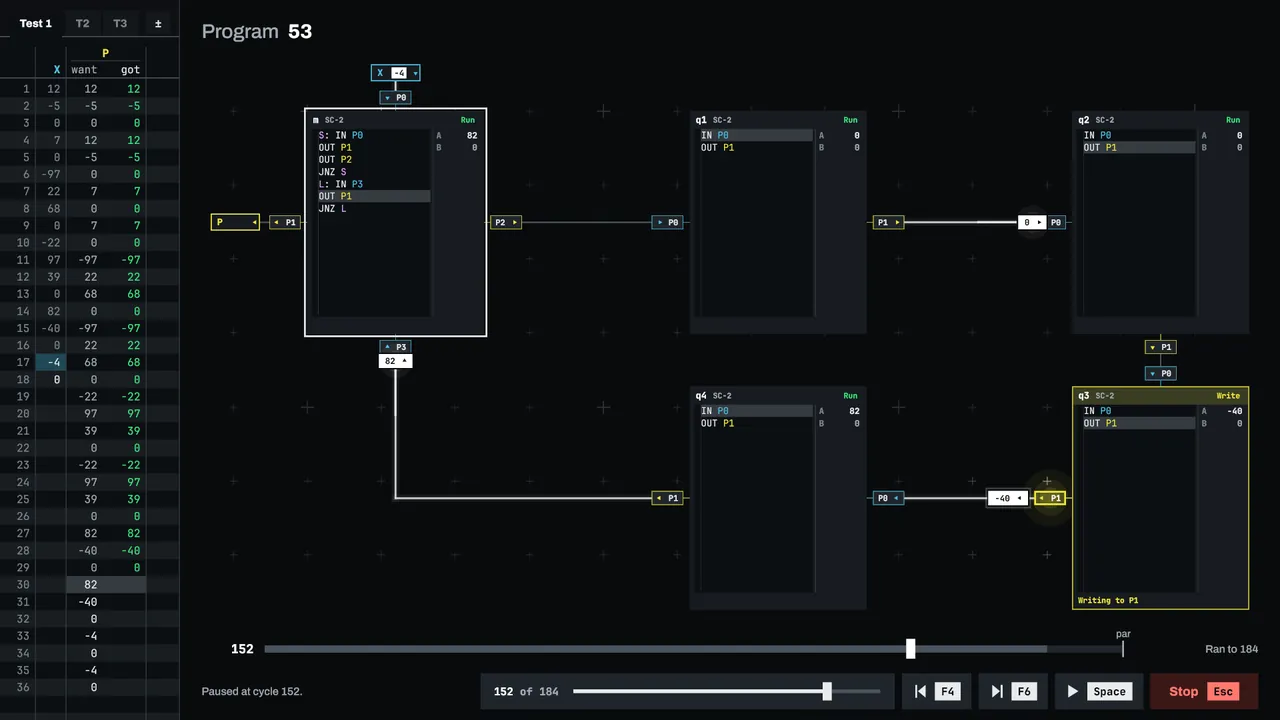
Every run plays back like a tape, one cycle at a time 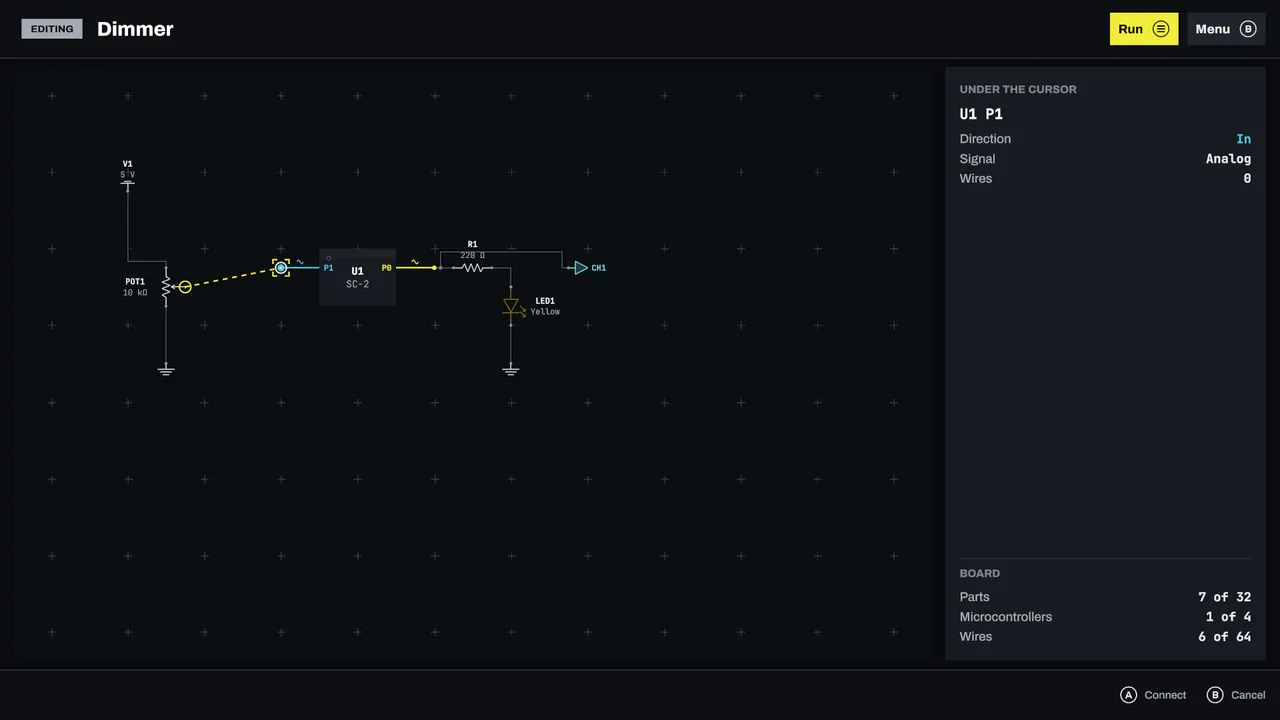
Lay parts and wires with a mouse or a controller 
Pick up where you left off
Walkthrough
Stuck on a Board?
Every one of the 300 puzzles has its own page: the task, the board, the key idea, hints that go one step at a time, and the full solution behind a reveal you open only when you want it.
Online
The SYSCALL Online Service
This site also runs the optional online service behind two games. Neither needs it to play.
SYSCALL II FIRMWARE
Turn on online comparison once, and every passing run goes to the service, which runs it again with the game's own verifier before it counts. In return you see histograms, ranks, and percentiles on every ranked benchmark, a board for every Signal, Bench, and Driver puzzle, and a global rating board. Shuffles are won or lost: the service checks and keeps them, but never ranks them.
Algorithms
Per problem boards on cycles, lines of assembly, and memory, a combined score per problem, and an overall total. Rankings are opt in from the application's options.
The service keeps a random player id, the solutions you send, and their scores; never your email, your real name, or your IP address. You can export or erase everything at any time. The privacy policy lists exactly what is stored and for how long.